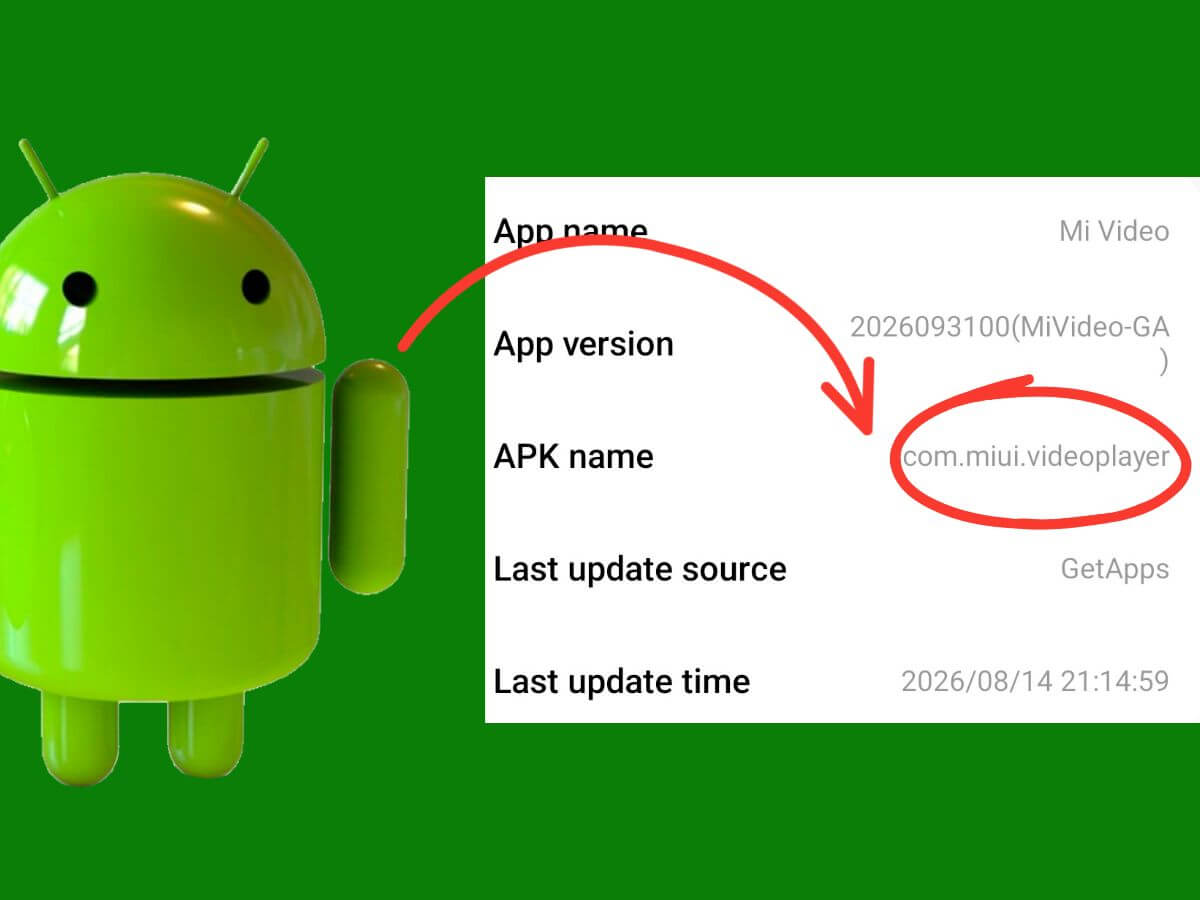
com.miui.videoplayer can look unusual when it appears in battery usage, mobile data records, app-management screens, or a package viewer. The name still contains MIUI on phones running HyperOS, and the app can show network traffic, background activity, or notifications that seem unrelated to playing videos stored on the phone.
These records raise questions about what the package does, whether its activity is normal, and whether Xiaomi allows it to be removed. The answers depend on Mi Video’s functions and how the application is installed on the device.
What Is com.miui.videoplayer?
com.miui.videoplayer is the Android package identifier for Xiaomi’s Mi Video app. Android uses package identifiers internally, so technical screens can display com.miui.videoplayer even though the user-facing application is called Mi Video.
Xiaomi has used this identifier since the MIUI era. A 2017 MIUI 9 release already used com.miui.videoplayer, and newer releases have retained it through the transition to HyperOS.
What Does Mi Video Do?
Mi Video handles more than local playback. It supports common formats including MKV, MP4, M4V, MOV, and AVI, manages videos stored on the phone, displays subtitles, and can search online for subtitles for local files.
The app also includes video downloads, online streaming, short-form content, and recommendations. Background playback is supported, and recent Google Play release notes include picture-in-picture for supported TV and movie content.
Our static analysis of Mi Video version 2026091100(MiVideo-GP) identified components supporting local playback and connected video features.
Why Does com.miui.videoplayer Use Mobile Data or Wi-Fi?
Mi Video needs an internet connection for its connected features. Streaming, downloads, recommendations, subtitle searches, and online video feeds generate traffic that Android records under the application’s package name.
Data usage depends on which features have been used and how much content has been transferred. On supported Xiaomi builds, the app’s network consumption can be inspected through Settings > Apps > Manage apps > Mi Video > Data usage, although menu names and available controls vary.
Why Can com.miui.videoplayer Run in the Background?
Mi Video contains services that can continue specific tasks after its main screen closes. The analyzed build includes playback services, messaging components, Android job services, and foreground media playback support.
Background playback allows media to continue without the Mi Video interface remaining on screen. Active downloads, notifications, and scheduled app work can also account for activity recorded while the application is not visible.
Background activity alone does not mean Mi Video is consuming excessive battery power. Open Settings > Battery > Battery usage to check its recorded consumption during the available reporting period.
Why Does Mi Video Show Ads and Recommendations?
Mi Video’s Google Play listing identifies the application as containing ads and describes its online video features. Advertising and suggested content are part of the app’s broader video platform, even for people who primarily use its local playback tools.
Xiaomi provides controls for managing some of this content. Its Mi Video privacy policy documents Profile > Settings > Other > Online services for turning off online video services while retaining local playback, along with separate privacy controls for personalized recommendations and ads. Turning off personalized advertising does not eliminate all advertisements, but our guide to removing ads from Xiaomi phones covers additional controls for reducing them.
Is com.miui.videoplayer Safe?
Yes. Mi Video is a legitimate Xiaomi application, and its normal activity is not evidence of malware or an unauthorized installation. It is not a core Android service, so calling, messaging, Wi-Fi, mobile networking, system updates, and basic phone operation do not depend on it.
Privacy is a separate consideration. Mi Video’s Google Play data-safety disclosure identifies potential collection of user IDs, videos, app interactions, music files, and device identifiers. Google Play also reports that data is encrypted in transit and that the developer does not provide a data-deletion request option through its disclosed process.
Xiaomi’s privacy policy also describes collecting viewing activity and device identifiers for personalized recommendations. Users concerned about these practices can review the app’s privacy controls without assuming that the presence of data collection makes the application malicious.
Is It Safe to Remove com.miui.videoplayer?
Removing or disabling Mi Video does not affect Android’s ability to store video files or perform its essential functions. Uninstalling removes the application, while disabling prevents it from running normally without removing its installed package.
Mi Video’s playback tools and app-specific services become unavailable after removal or while the app is disabled. Videos stored independently on the phone remain accessible through another compatible player such as VLC, although content saved within Mi Video may need separate attention before uninstalling.
The removal controls differ across Xiaomi devices, regions, and software builds. Some phones allow Mi Video to be uninstalled or disabled, while others retain it as protected preinstalled software.
How to Disable or Remove Mi Video Safely
Use Xiaomi’s normal app-management controls first. The available options show whether Mi Video can be uninstalled, disabled, or managed only as a preinstalled application.
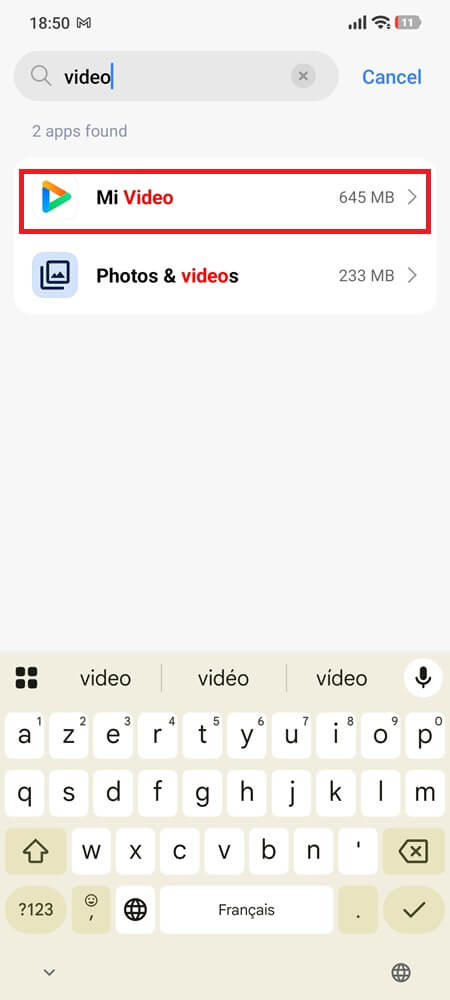
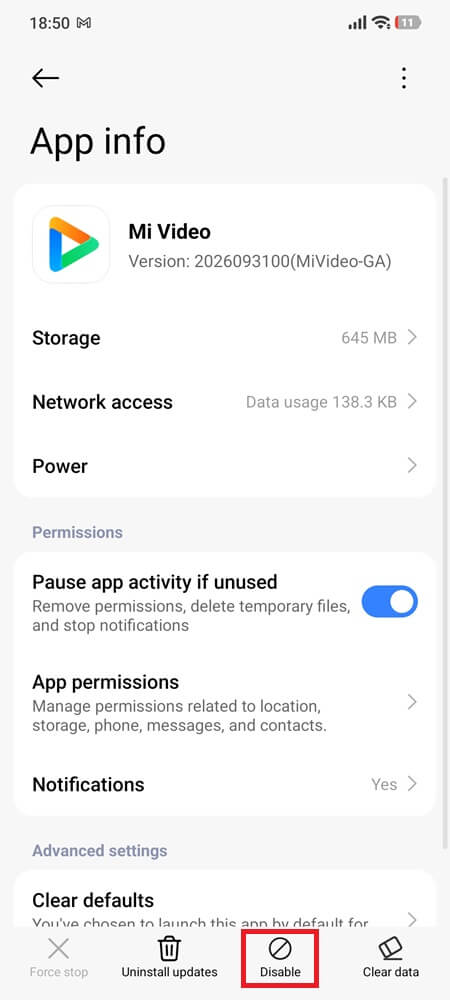
- Open Settings > Apps > Manage apps and select Mi Video. The exact menu wording can differ between MIUI and HyperOS versions.
- Open a video stored on the phone and confirm that another installed video player can handle the file. If playback works, return to Mi Video’s app settings and tap Uninstall, if available.
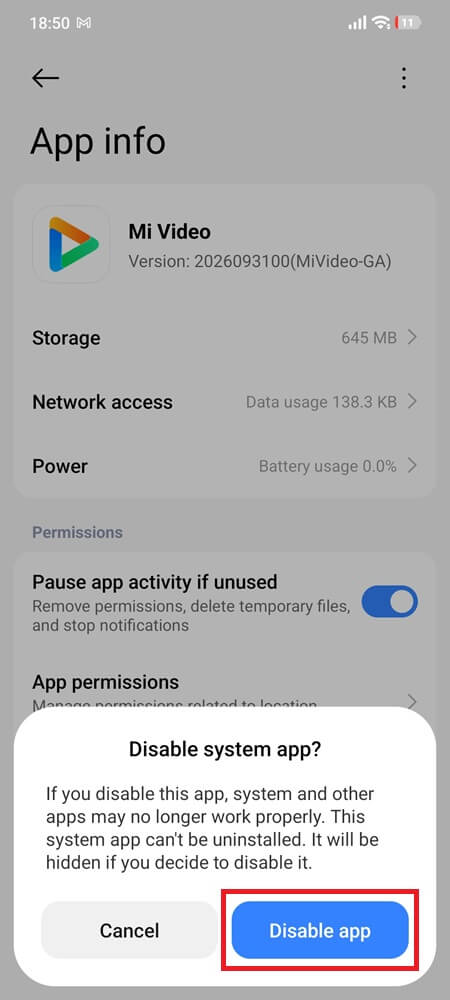
- Tap Disable if uninstalling is unavailable but Xiaomi provides a Disable option (you can enable it again later). Confirm the change, then check that Mi Video can no longer be launched normally.
- Leave Uninstall updates alone if your goal is to remove Mi Video. That option only returns a preinstalled app to its factory version and does not remove the package.
- If neither Uninstall nor Disable is available, leave the package installed instead of forcing removal through ADB, root access, or another system modification. You can still use another video player for local files and avoid opening Mi Video.
Conclusion
The activity recorded under com.miui.videoplayer should be evaluated according to its actual network and battery consumption, not the unfamiliar package name. A background entry or data-usage record is not enough to establish that the application is malfunctioning.
For people who only need local video playback, disabling Mi Video’s online services offers an alternative to removing the application entirely. This distinction is especially useful on Xiaomi builds that restrict uninstalling preinstalled apps.