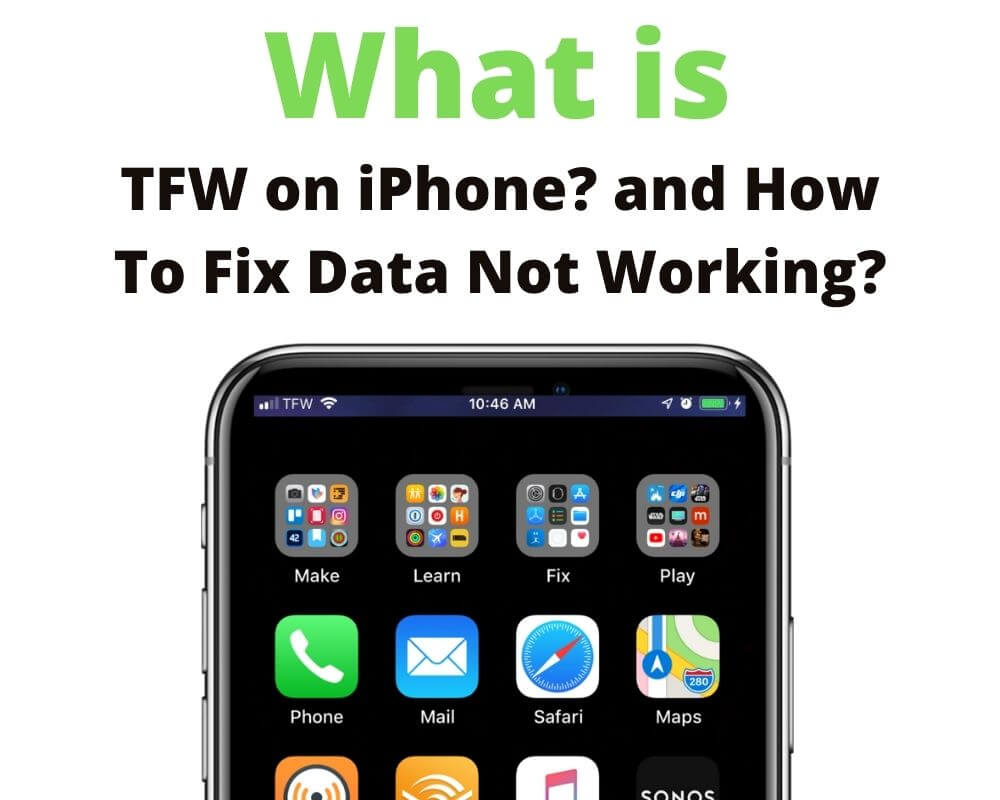
TFW stands for TracFone Wireless, a mobile service provider owned by Verizon. If your iPhone displays TFW in its status bar or carrier information, it identifies the wireless service associated with your cellular connection, including services sold under brands such as Straight Talk and Total Wireless. The label is normal and does not indicate a network error.
Some iPhone users have noticed TFW changing to Verizon without switching mobile plans. Others see TFW LTE, TFW 5G, or TFW Wi-Fi and wonder what those indicators mean or whether their phone is carrier-locked.
What Does TFW Mean on iPhone?
TracFone Wireless operates as a mobile virtual network operator (MVNO), providing cellular service through an established mobile network instead of maintaining its own nationwide radio network. Verizon completed its acquisition of TracFone on November 23, 2021, bringing several prepaid wireless brands into its business.
The carrier label displayed by iOS does not always match the brand customers use to manage their accounts. Straight Talk subscribers, for example, can see TFW even though their billing and support remain with Straight Talk.
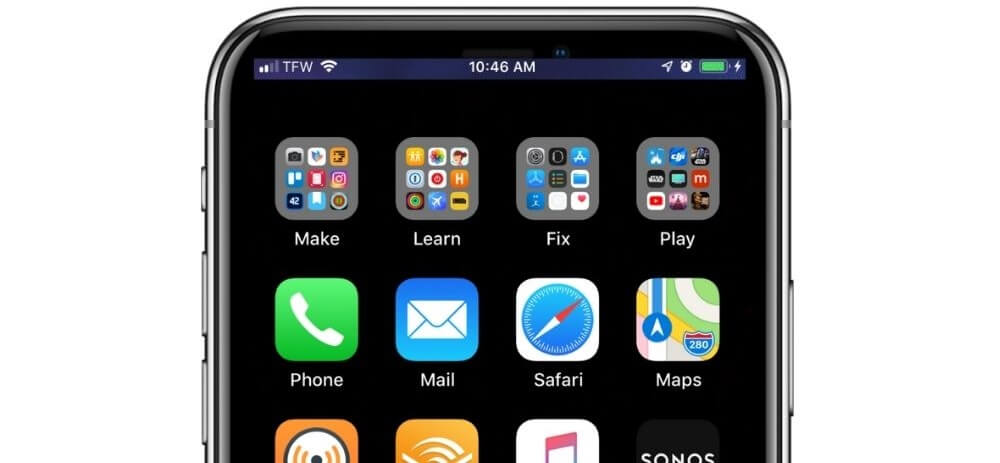
On iPhones with Face ID, the carrier name is generally visible in Control Center rather than continuously displayed in the compact status bar. iOS does not provide a standard setting for hiding or renaming the carrier label.
Why Does My iPhone Show TFW or Verizon?
iOS uses information from the SIM or eSIM and the carrier’s network configuration to identify cellular service. Carrier settings contain information needed for network connectivity and supported features, including 5G and Wi-Fi Calling. Apple distributes carrier settings updates separately from regular iOS updates.
Straight Talk customers reported their iPhones switching from TFW to Verizon in September 2025, including after installing iOS 26. Similar reports appeared in September 2026, with subscribers noticing a different carrier name while continuing to use Straight Talk. These user reports document the experience but do not establish a common technical cause.
Verizon’s ownership explains the relationship between the two names, while carrier settings provide a way for network configurations to change. The specific trigger for an individual label change is not always identifiable, and seeing Verizon does not automatically mean the subscriber has changed plans or gained new network features.
You can inspect the installed carrier settings by opening Settings > General > About and looking for the version number beside Carrier. Tapping that number displays additional carrier information, and iOS prompts you when an available carrier settings update needs installation.
What Do TFW LTE, TFW 5G, and TFW Wi-Fi Mean?
TFW LTE identifies TracFone Wireless as the carrier and LTE as the cellular data technology. TFW 5G identifies the same carrier alongside a 5G network indicator on a compatible iPhone.
Seeing 5G does not guarantee faster internet speeds than LTE. Actual performance depends on signal conditions, network congestion, device capabilities, and the subscribed service plan. Compatible iPhones also support 5G Auto, which allows the device to switch to LTE when 5G does not provide a noticeably better experience.
TFW Wi-Fi indicates that Wi-Fi Calling is available through the carrier on the iPhone. When this feature is enabled and active, supported voice calls use a Wi-Fi connection, which is useful where cellular reception is weak. It does not mean the phone has switched to another wireless provider.
None of these indicators shows how much mobile data remains in your plan. That information comes from your wireless provider’s account and billing systems.
Does TFW Mean Your iPhone Is Locked?
Seeing TFW does not tell you whether an iPhone is carrier-locked. A carrier lock restricts which wireless providers can activate service on the device. An iPhone showing TFW can be either locked or unlocked.
Apple provides a direct way to check this restriction. Open Settings > General > About and look for Carrier Lock; if it displays No SIM restrictions, the iPhone is unlocked. If the device is locked, only the wireless provider can authorize its release.
An unlocked iPhone must still be compatible with the network and eligible for activation with the intended provider. These requirements also apply when switching between services that use Verizon’s network.
What If TFW Cellular Data Is Not Working?
TFW itself is not an iPhone error message. If the phone displays the carrier name but cannot load websites or use mobile data, the problem can involve cellular connectivity, account provisioning, or device settings.
SOS indicates that the iPhone is not connected to its usual cellular network but can still make emergency calls through another available network, while No Service or Searching indicates that it is not connected to a cellular network.
The appropriate first check depends on whether the iPhone has lost cellular service or still shows a signal but cannot access mobile internet. These steps address both conditions without removing the installed cellular plan.
- Check cellular data: Open Settings > Cellular and confirm Cellular Data is enabled. Turn off Wi-Fi temporarily and load a website to verify whether mobile internet works independently.
- Reconnect to the network: If the iPhone has lost cellular service, turn on Airplane Mode for at least 15 seconds, then turn it off. Check whether the normal cellular signal indicator returns.
- Restart your iPhone: Turn the device off and back on to restart its cellular connection and network processes. Once it reconnects, check whether mobile data works or the normal signal indicator returns.
- Check the active cellular line: On an iPhone using Dual SIM or multiple eSIMs, open Settings > Cellular and confirm the intended line is enabled and selected for cellular data. Test the connection using that line.
- Install an available carrier settings update: Connect to Wi-Fi and open Settings > General > About. Accept the carrier settings update if prompted, then test cellular connectivity again.
- Contact your wireless provider: If the iPhone has signal but mobile data still fails, ask your provider to verify the account, data allowance, and activation status. The provider can investigate problems involving the SIM or eSIM configuration. Avoid deleting an eSIM during troubleshooting because restoring the cellular plan can require carrier assistance.
Conclusion
A carrier label change is different from a change in the service attached to your phone number. If TFW becomes Verizon and cellular service continues normally, there is no reason to troubleshoot the displayed name alone. When connectivity fails or account details differ from your subscribed plan, the wireless provider can verify the underlying service independently of what iOS displays.